Custom Strava Route Medals: Keep Your First Finish Line
Your first finish line is always special. Maybe it was your first 5K after months of training, the half marathon you finally completed, or your first long ride out of town. Strava keeps all of it: distance, time and, of course, the route. It would be a shame to leave it all inside an app.
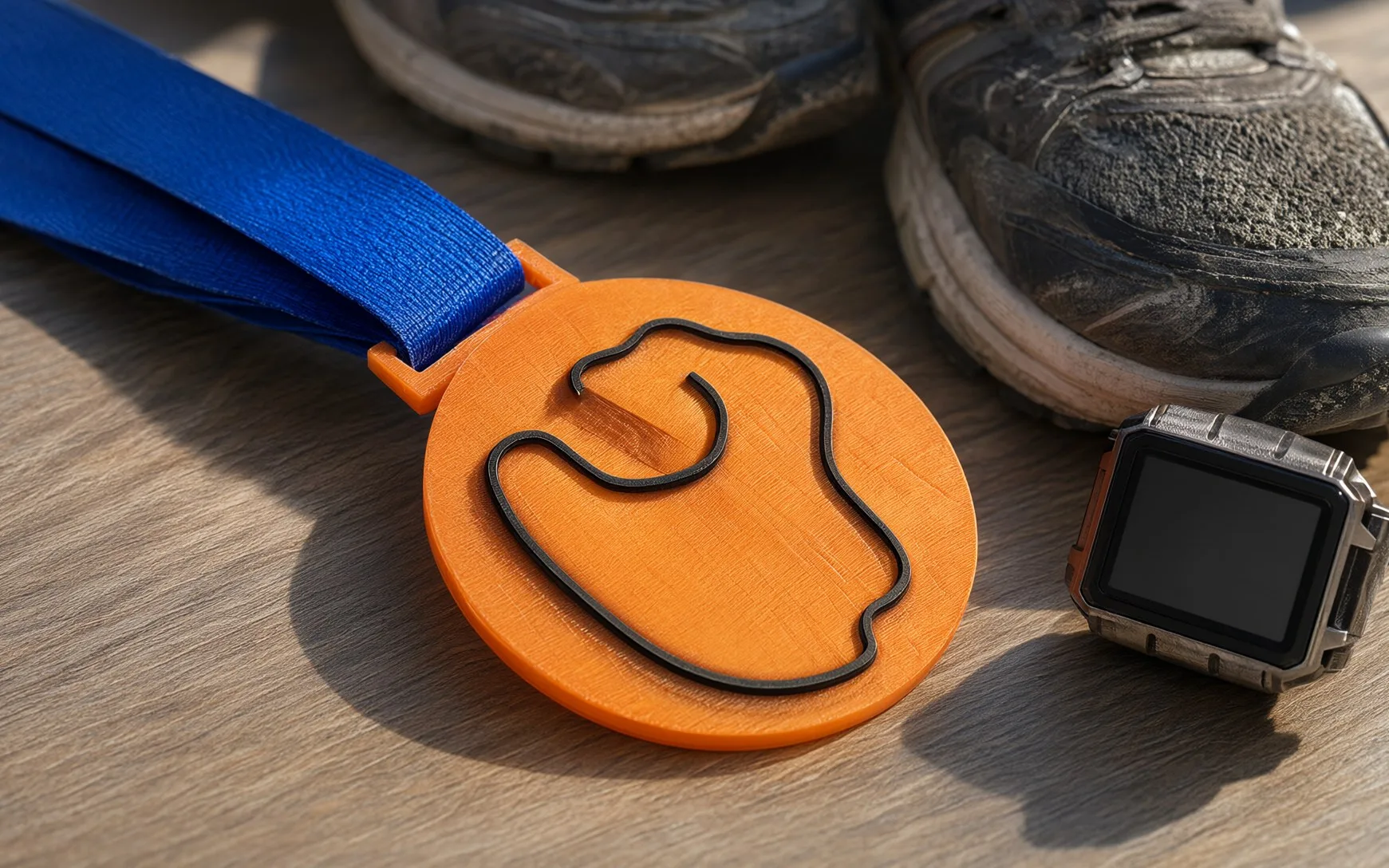
With a 3D printer, that route can become a custom medal: the route raised on the medal's face, with your name and time. This post walks you through exporting a GPX file from Strava step by step, medal ideas for runners and cyclists, and how to order medals in bulk for an event.
What is a GPX file, and why do you need it?
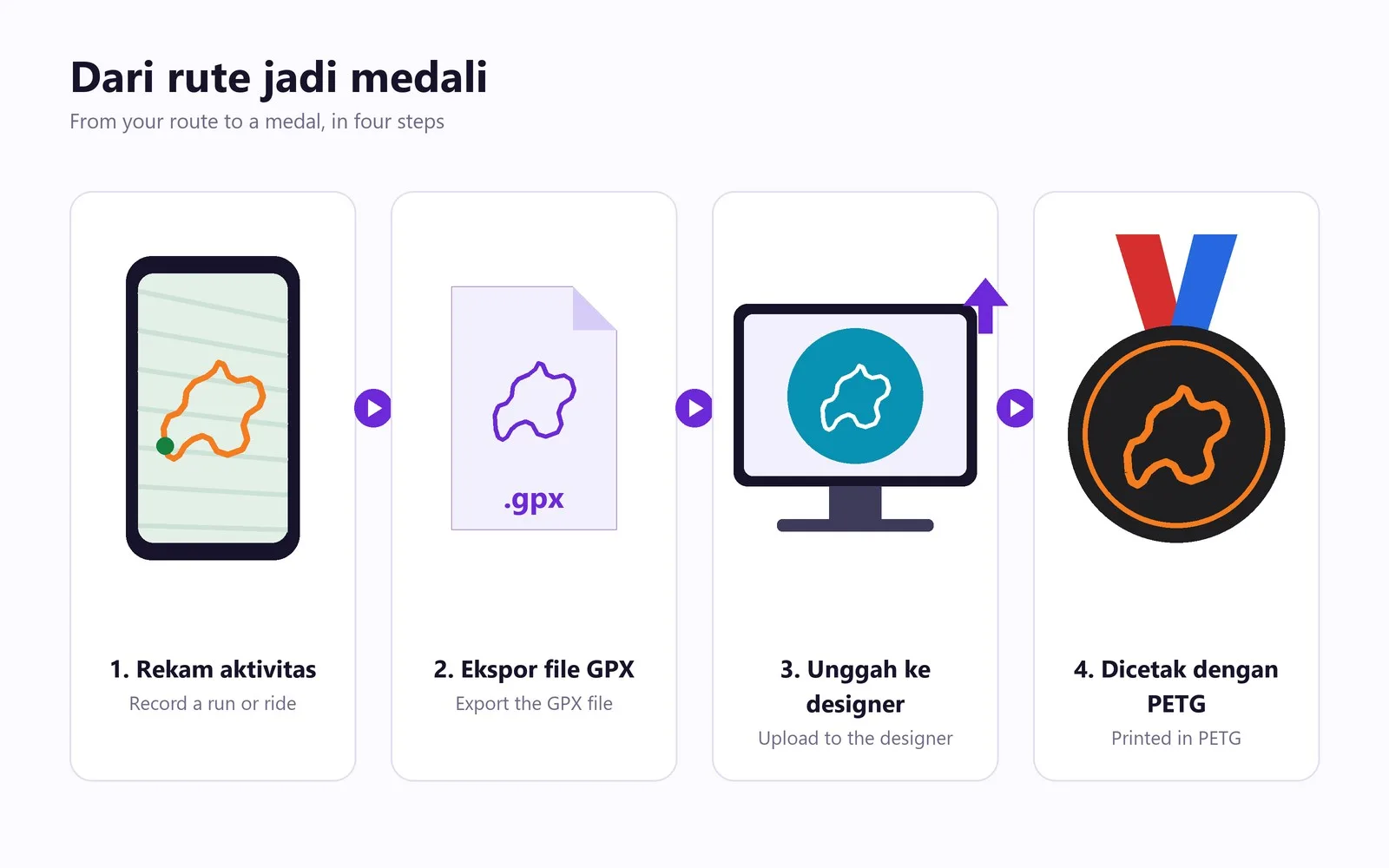
GPX (GPS Exchange Format) is a file holding the chain of coordinates your watch or phone recorded during an activity. From those points our medal designer draws the shape of your route, exactly like the map in Strava, and turns it into a raised line on the medal.
You do not need to know any 3D software. Just have the GPX file ready; all the shaping happens in the designer with a live preview.
How to export a GPX from Strava
On a computer (web)
- Go to strava.com and sign in.
- Open the activity you want as a medal (click its title).
- On the left of the activity page, click the three dots (…) icon.
- Choose Export GPX. The .gpx file downloads straight away.
Note: you can only export your own activities. To use a route you planned under Routes, open the route and choose the GPX export on that route's page.
On a phone (Strava app)
The Strava phone app currently has no GPX export button for activities. It is still easy:
1. Open your phone's browser (Chrome or Safari) and go to strava.com.
2. Switch on desktop site (in Chrome: the three-dot menu, then "Desktop site"; in Safari: the "aA" icon, then "Request Desktop Website").
3. Open your activity and follow the web steps above: the three-dot icon, then Export GPX.
4. The file is saved in your phone's downloads, ready to upload to the designer.
Strava's menus can change at any time. If you cannot find the button, look for a three-dot icon or an "Actions" menu on the activity page.
Using another app instead of Strava?
Almost every sports app can export GPX. In Garmin Connect on the web, for example, open the activity, click the gear icon and choose Export to GPX. As long as you end up with a .gpx file, it works.
A privacy tip before you upload
A GPX file contains the start and end points of your activity. If you usually start running from your front door, the medal line starts there too. If that bothers you, choose an activity that starts in a public place, such as a morning run in a park or a car-free-day event.
Medal ideas for runners, cyclists and communities
For runners
- Your first 5K or 10K: the moment most worth keeping.
- Your first half marathon or marathon, or a new personal best.
- A favourite route you run every week, as a desk display.
- A run in another city on holiday or a work trip, as a travel souvenir.
For cyclists
- Your first long ride, such as your first 100 km.
- A legendary climb you finally conquered.
- A touring route ridden with friends.
For communities and clubs
- Weekly group runs or the club's anniversary.
- A virtual run with the same route for every member.
- A thank-you for the coach or the pacer who trained with you.
For small souvenirs between members, a name keychain makes a nice extra:
How to order a medal through the designer
- Export the GPX file from Strava (see the steps above).
- Open the medal designer and upload your GPX file.
- Check the route preview and fill in the available text, such as your name and time.
- Pick the PETG colours. In stock now: black, white, grey, red, yellow, green, blue, orange and beige. High-contrast pairs, such as a blue base with a white route or a black base with an orange route, stand out most.
- Add it to the cart and pay. Medals are printed at our Jakarta studio in PETG, a tough, heat-resistant material, so they are safe in a bag and on display anywhere. Full details are in the material guide.
Medals for running and cycling events: bulk orders
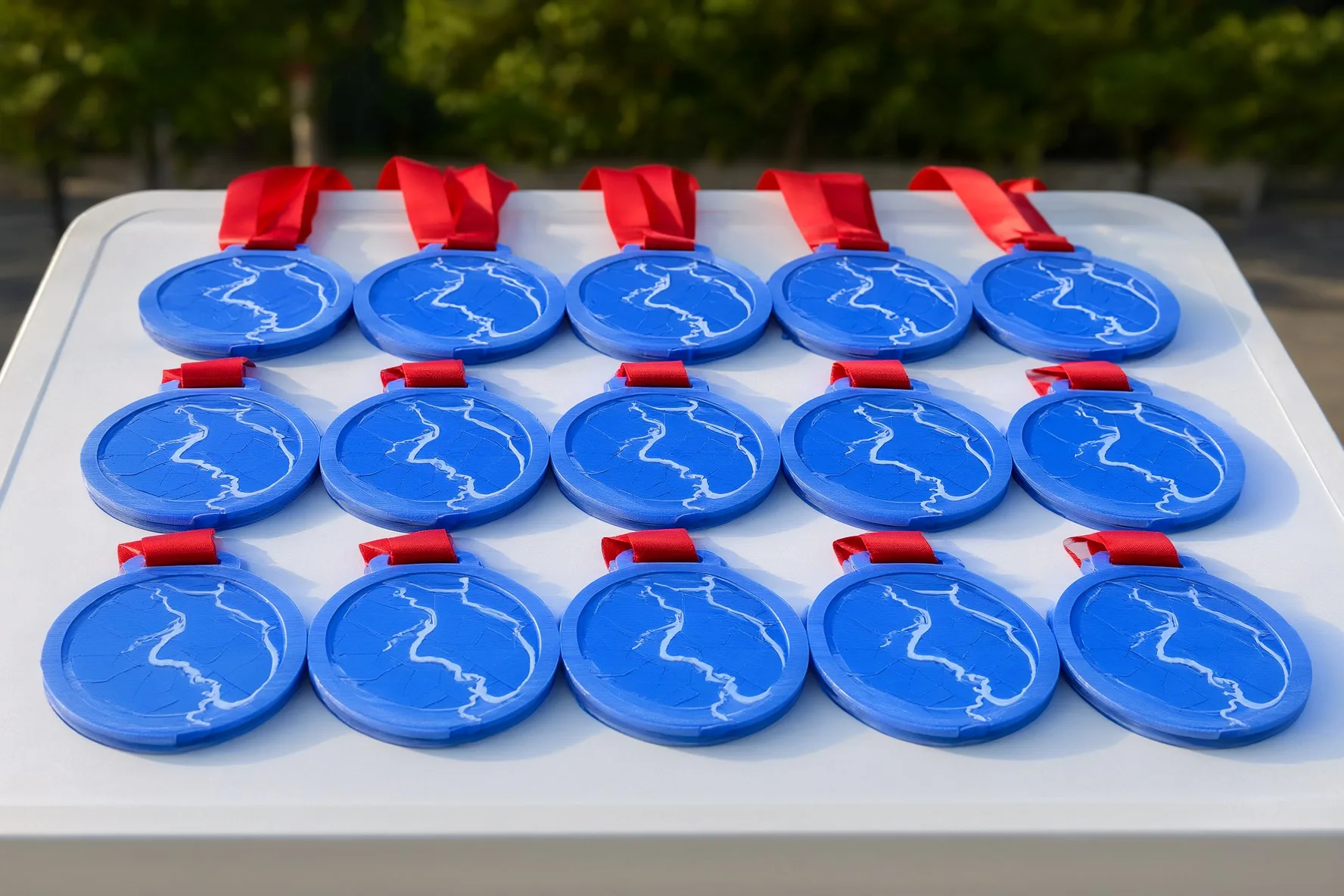
Organising a fun run, a cycling event or a school race? Medals showing the real race route are a memorable way to make participants feel valued: everyone takes home a "map" of the race they just finished.
For bulk orders, send your requirements through the quote form. Include:
- the GPX file of the race route (or the planned route from Strava Routes);
- the estimated number of participants or medals;
- the colours you want and the text (event name, date, distance);
- the event date, so we can plan the production schedule.
The earlier you contact us, the more time there is for a sample design and production. Want to see other finished products? Visit our shop.
Strava route medal FAQ
How do I export a GPX from the Strava phone app?
The Strava phone app has no GPX export button for activities. Open strava.com in your phone's browser in desktop-site mode, open the activity, click the three-dot icon and choose Export GPX.
Can I use a route from Garmin or another app?
Yes. As long as you have a .gpx file of the activity or route, you can upload it to the medal designer.
What material are the medals made of?
Every medal is printed in PETG, which is tougher and more heat resistant than PLA. You can choose from the nine colours in stock.
Can I order medals for an event with hundreds of participants?
Yes. Send the race route GPX, the number of medals and the event date through the quote form. We will reply with a price and a production schedule.